Everything we do for you, in one app on your phone.
You do the work. Your app handles the bits in between: bookings from your assistant, new enquiries, quotes and invoices that follow up on their own, and a direct line to us. Your business on your home screen.
Sample business data
Included with every plan
Know what’s happening before you leave the house.
Bookings from your AI assistant, replies to your quotes, new website enquiries, and social posts waiting for your approval. Each update arrives straight to your Bizleads client app as an instant alert, so nothing waits until you’re back at a desk.
Why choose Bizleads
Turn more enquiries into booked jobs.
From 24/7 AI assistants to local marketing and your own client app, everything is handled in one place.
Never miss an enquiry.
Website chats, emails and phone calls answered 24/7 and booked straight into your calendar.
No quote goes cold.
Send quotes directly from your app with automatic follow-ups so you reply first and win the job.
Get paid on time.
Send invoices in seconds with automatic polite reminders until jobs are marked as paid.
Look like the obvious choice.
A fast website, Google reviews and regular social posts build trust before customers call.
Everything in your client app.
See your bookings, customer enquiries, call summaries and AI conversations on one mobile screen.
One team handles it all.
No juggling suppliers—we set everything up, manage it month to month, and report in plain English.
A working day
A day on the road with your client app.
See how your mobile app and 24/7 AI assistants run alongside an ordinary working Monday for a local trade business.
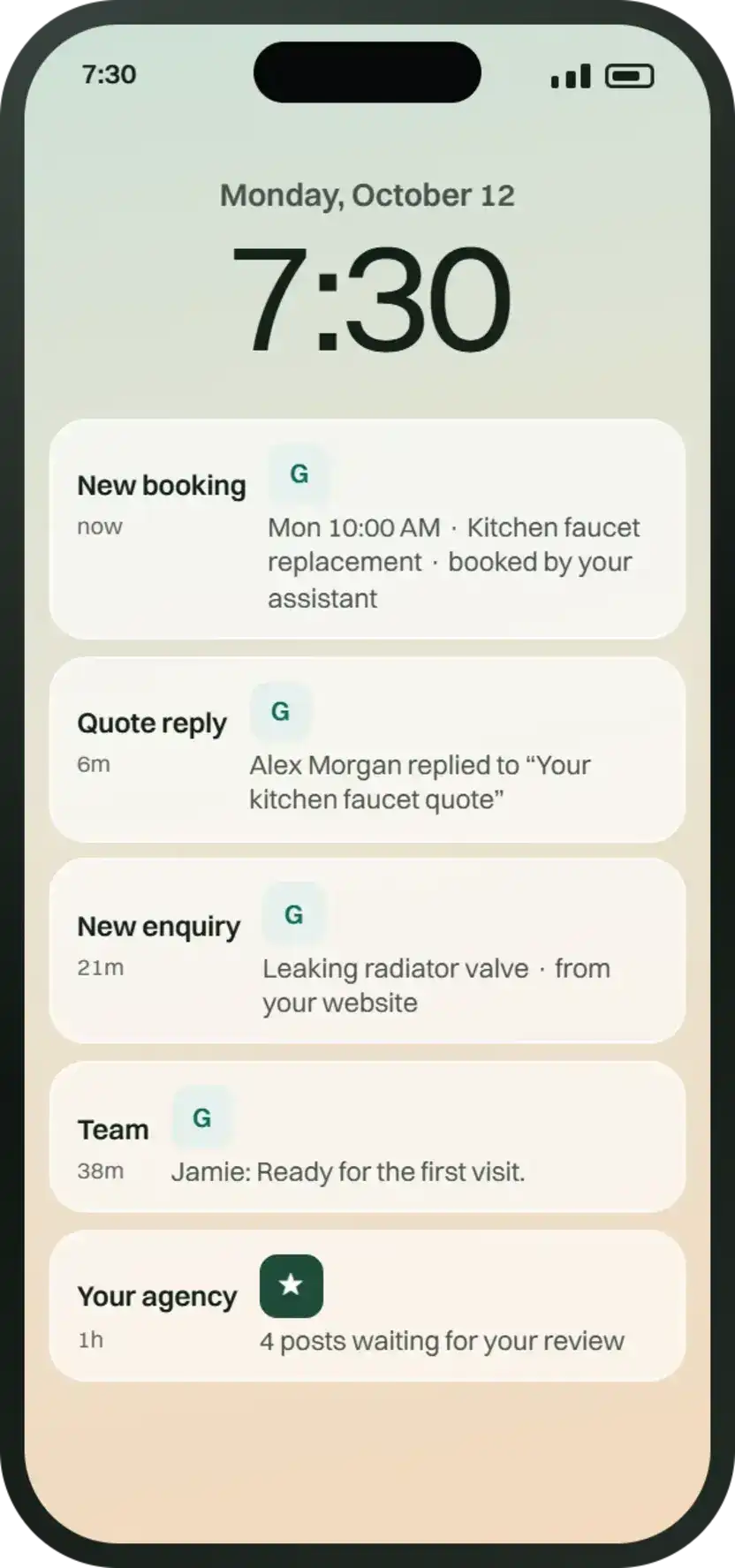
- 7:30 AM
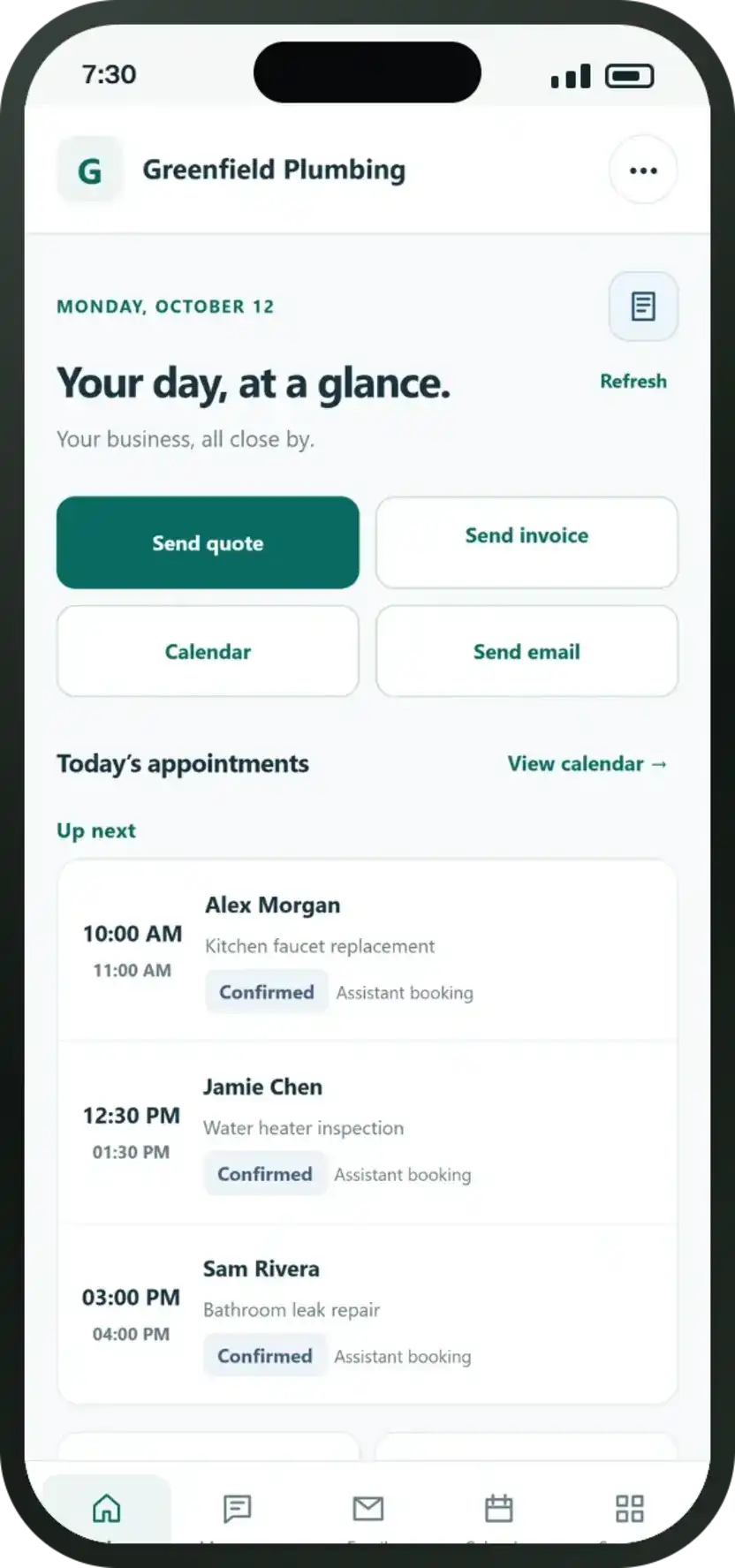
See what today holds.
Your scheduled visits, including appointments booked overnight by your AI assistant, and recent quote responses.
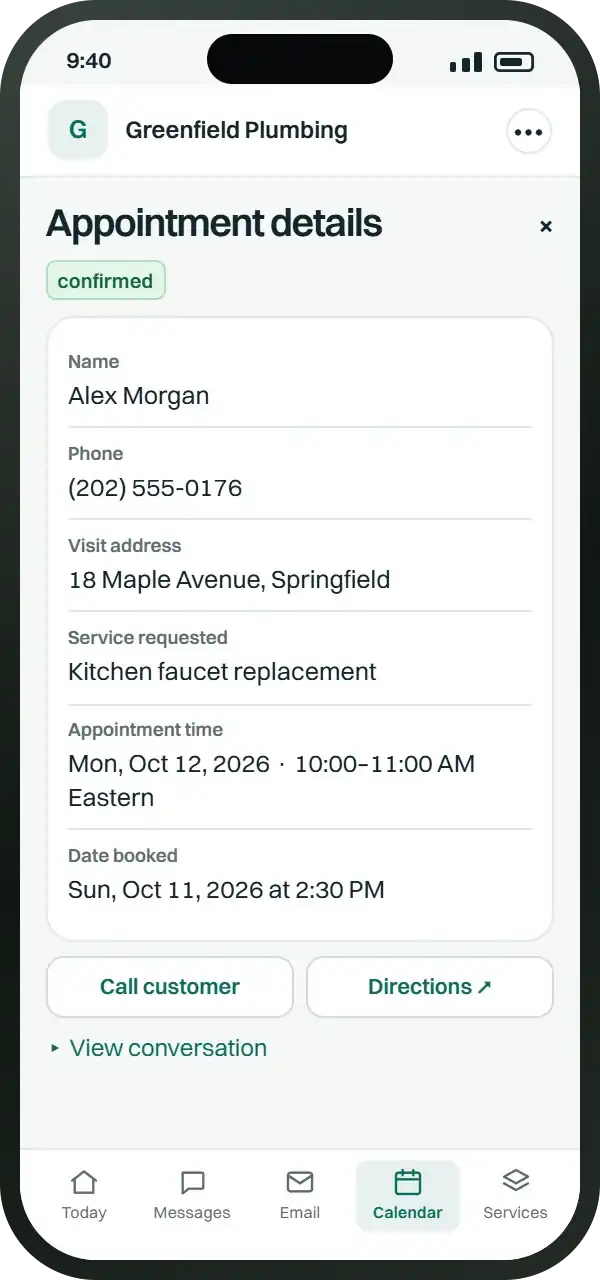
- 9:40 AM
Take the right details with you.
Job locations, contact details and navigation in one tap, with the full customer enquiry conversation attached.
- 1:45 PM
Quote before you leave.
Add job items and pricing while you’re still on site, then activate automated follow-ups so quotes never go cold.
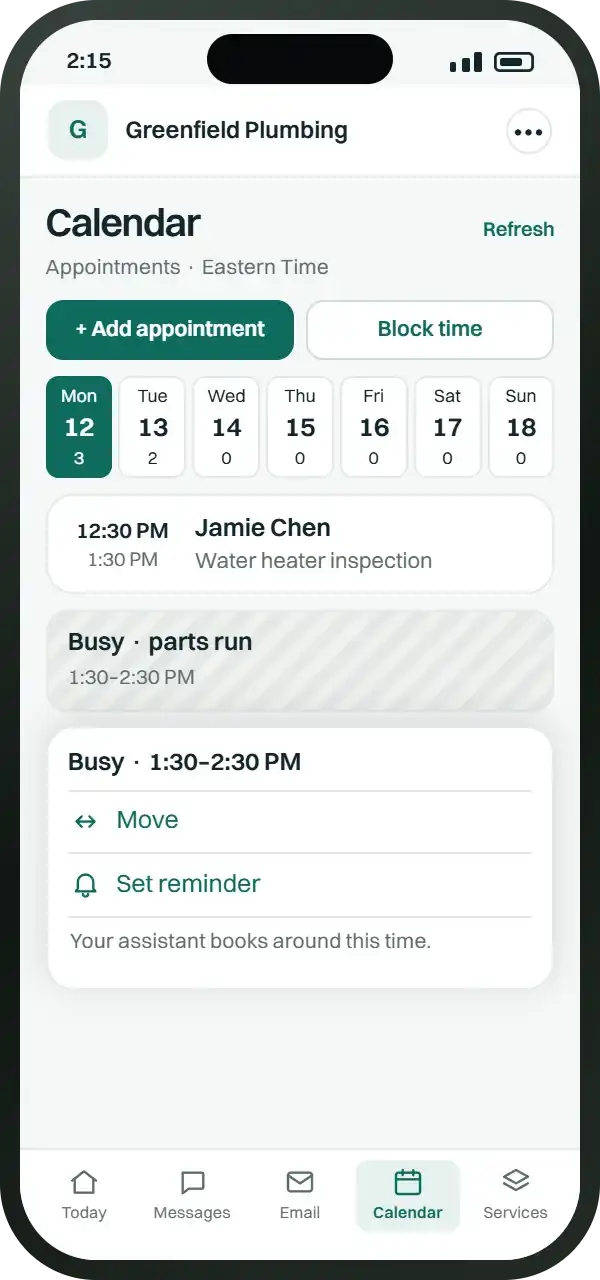
- 2:15 PM
Plans change smoothly.
Block out time for picking up trade supplies or emergency call-outs, and your AI assistant schedules around it.
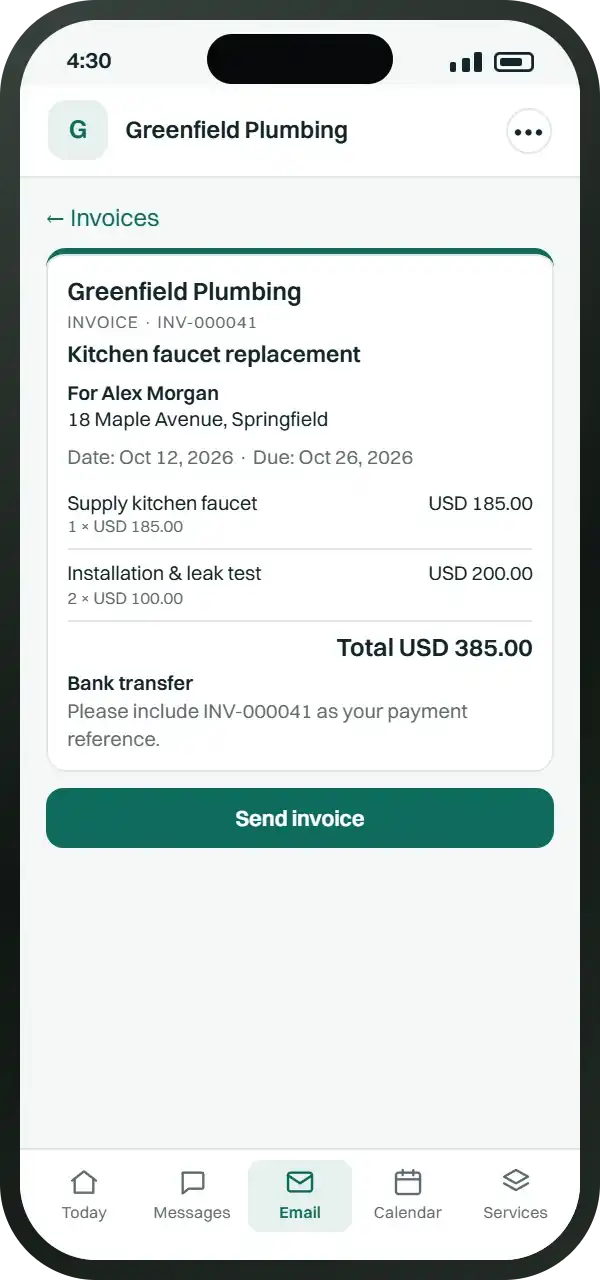
- 4:30 PM
Invoice before you pack up.
Turn completed jobs or accepted quotes into clean digital invoices ready to review and send before driving off.
- 4:35 PM
Reminders that follow up politely.
Automated payment notifications scheduled before and after due dates until the invoice is marked as paid.
It all connects
Whatever you choose, it lands in your app.
See your bookings, enquiries and marketing results in one place — included with every plan.
- AI Chat AssistantEvery booking in your calendar, every conversation to read, and instant alerts for each new booking
- AI Telephone ReceptionistA summary of every call, with bookings in your calendar and alerts for each new enquiry
- AI Front Desk BundleChats, emails and call summaries in one inbox, with every booking in your calendar
- Website DesignEnquiries and bookings from your new website arrive instantly in your app
- Lead Follow-UpEvery enquiry in one place, with automatic follow-up emails that stop when the customer replies
- Google Business Profile & ReviewsReview replies and Google posts to approve, and job photos sent straight to us
- Facebook & Pinterest MarketingPosts to approve before they go live, and job photos sent straight to our team
Every plan also includes quotes with automatic follow-ups, invoices with reminders, calendar connection, and direct team messaging.
Client app included
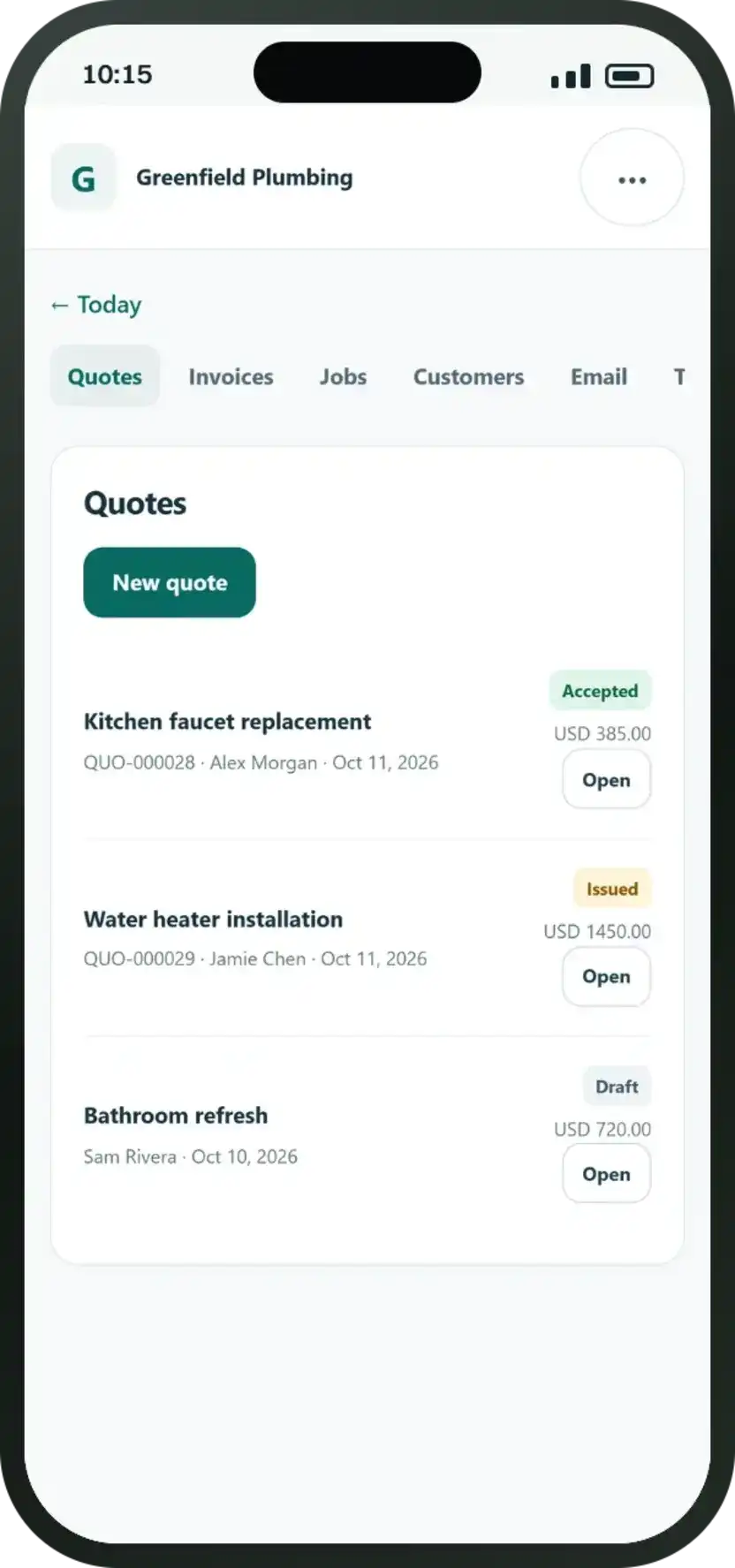
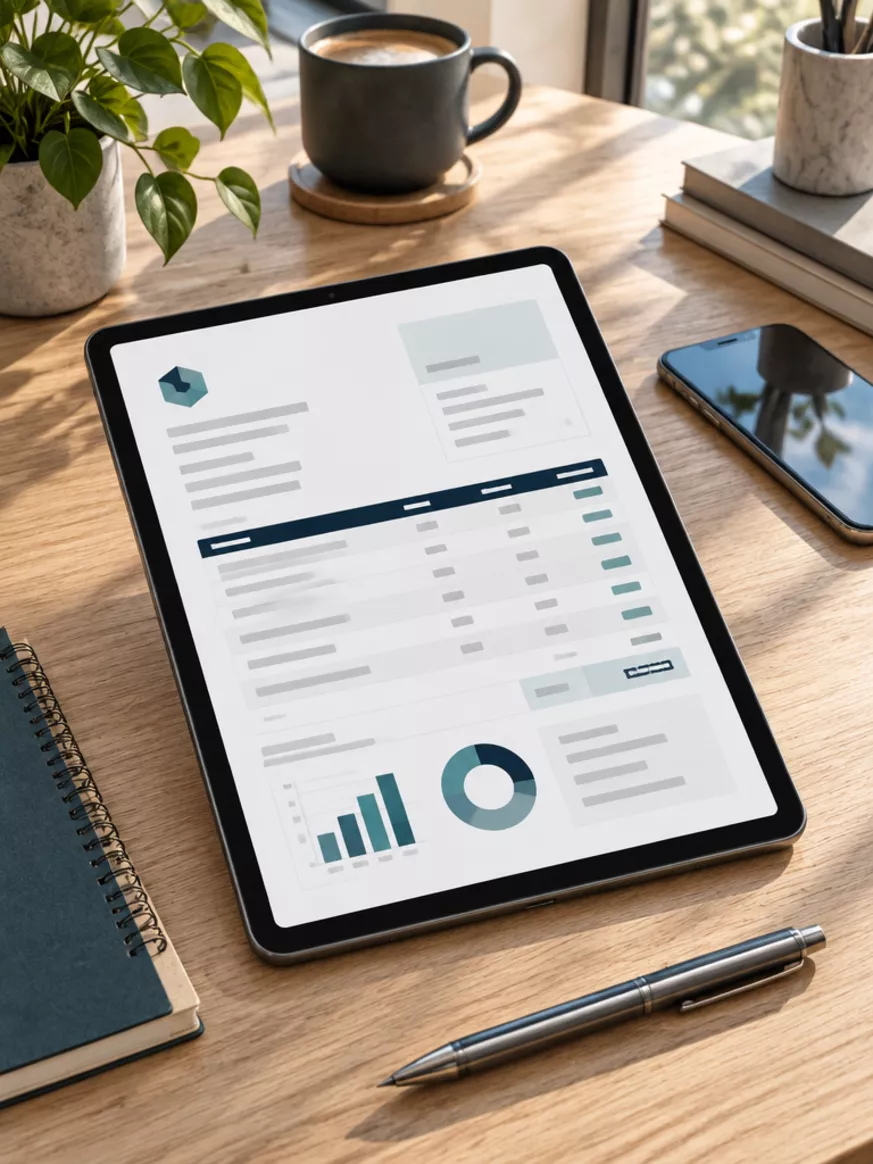
Send quotes and invoices in taps. Look like the obvious choice every time.
Quotes with follow-ups.
Send clear, professional quotes straight from your phone with automatic follow-ups so enquiries never go cold.
Invoices with reminders.
Send numbered, professional invoices in seconds, backed by automated payment reminders so you get paid on time.
All in one app.
View your enquiries, appointments, customer conversations, and job statuses together in one easy place.
Included with every plan
See your bookings and enquiries in one place.
Every client gets their own mobile app. View upcoming appointments, review AI chat, email, and phone call summaries, send photos from your jobs, and message our team anytime.
Sample client app interface
Getting started
Ten minutes once. Useful every day.
We set everything up for you. You simply open your invite to access your Bizleads app.
- 01
Open your invite.
We send a secure access link straight to your phone and email.
- 02
Add it to your home screen.
A few quick taps and your client app opens like any mobile app.
- 03
Connect your calendar and accounts.
So bookings sync directly and updates go out under your business name.
- 04
Turn on instant alerts.
See new bookings, AI chats, emails and phone enquiries as they happen.
It installs straight from a link. On iPhone, open it in Safari, tap Share, then Add to Home Screen. On Android, open it in Chrome and tap Install app.
FAQ
Questions about your client app.
Still wondering about something? Get your free growth plan or contact our team directly.
Is the client app an extra cost?
No. Your dedicated client app is included free with every Bizleads plan.
What can I manage inside the app?
You can view your bookings and enquiries, read every AI chat, email and call conversation, send quotes and invoices, connect your calendar, and message our team.
How do I get the app on my phone?
We send you a secure link. You add it to your home screen in a few taps, and it opens like any mobile app on iPhone, Android, and your computer.
Will I get instant booking notifications?
Yes. You receive immediate notifications whenever a customer books an appointment or an enquiry is received by your AI assistants.
Can I upload job photos and approve social posts?
Yes. You can send us photos from your completed jobs straight through your app and review and approve your social media posts before they go live.
Can my team use the app?
Yes. Your team can access the app to check bookings, view new customer enquiries, and stay up to date on daily jobs.
Your free growth plan
Let’s make you the first business they find, and the one they call.
An honest look at your Google presence, website, reviews and competitors, and exactly where you’re losing customers. No card, no obligation.